
Download Chemistry Simulator AR – Chemistry Education, Augmented Reality, Interactive Learning, High School Science
Overview
Chemistry Simulator AR is an interactive educational app designed to help high school students and educators visualize core chemistry concepts through augmented reality. The app enables users to explore molecular structures, electron orbitals, and bond formation in a dynamic, hands-on environment. By leveraging AR technology, it transforms abstract scientific principles into tangible, visual experiences, making foundational chemistry lessons more accessible and engaging. The app is intended for educational use in classrooms or at home, supporting learners who benefit from visual and experiential learning methods.
The developer did not provide additional details about the organization behind the app. However, the software is clearly targeted at high school-level science education, offering a tool that aligns with standard curricula involving molecular bonding and electron behavior. Real-world usage scenarios include classroom demonstrations, homework support, and independent study sessions where students can experiment with molecule construction. While the app currently supports only a limited number of molecules, its focus on interactive visualization represents a promising approach to enhancing science education through immersive technology.
Key Features & Capabilities
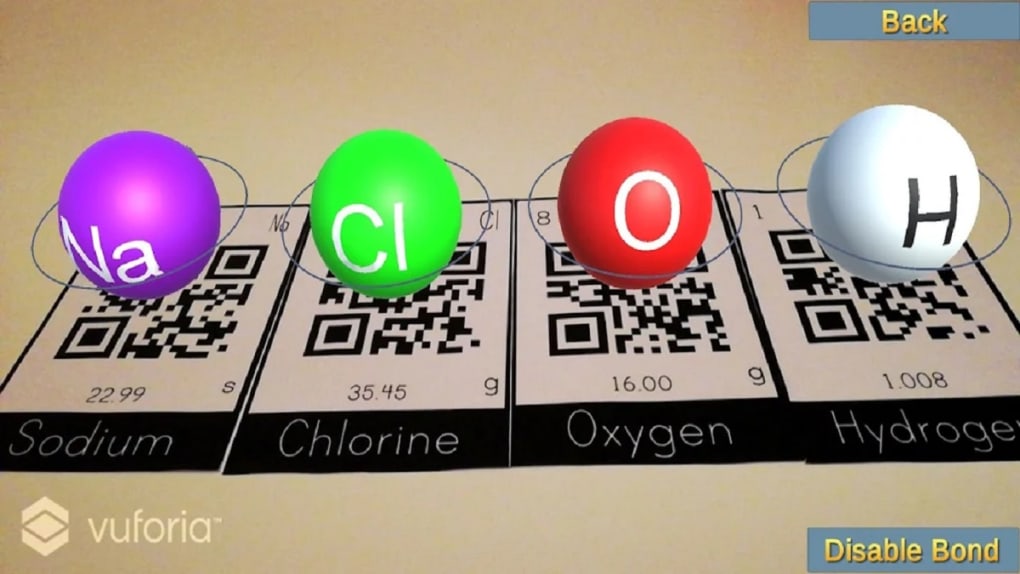
- Augmented Reality Visualization – Users can view electron orbitals and molecular structures in 3D space using their device’s camera, bringing chemistry concepts into the physical environment.
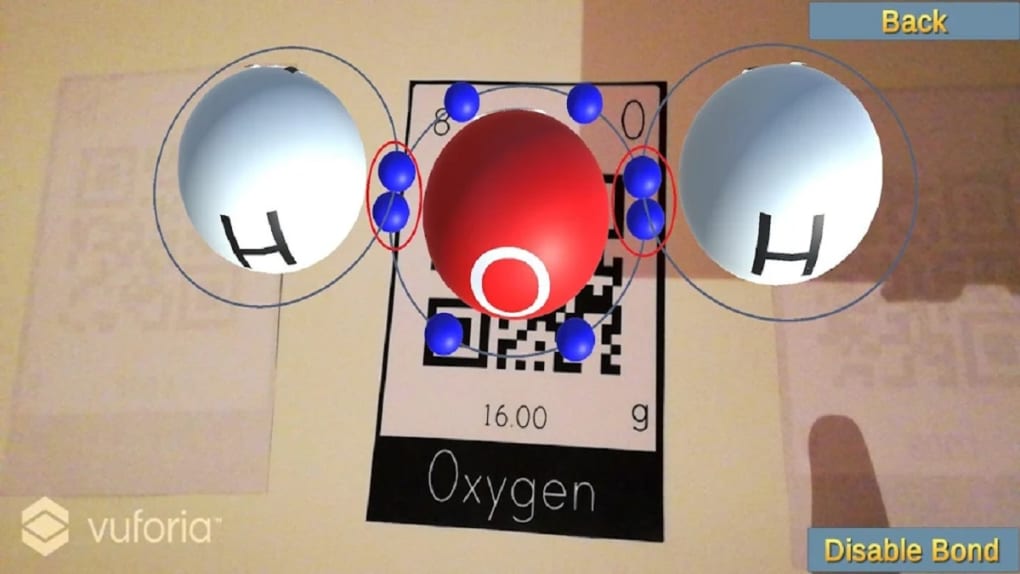
- Molecular Bond Formation – The app allows users to connect elements by aligning electrons in correct orbital patterns, simulating real-world bond creation and breaking.
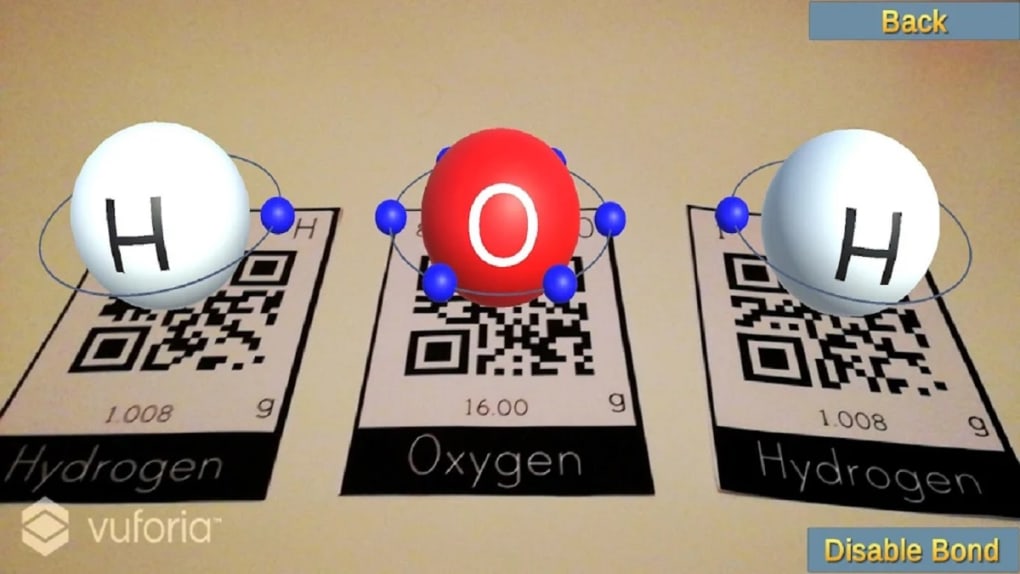
- Interactive Element Recognition – The software identifies compatible elements and generates electrons in accurate orbital configurations, supporting foundational understanding of valence and bonding rules.
- Supported Molecules – The app currently includes five common molecules: water, carbon dioxide, methane, ammonia, and hydrogen chloride, which are frequently taught in high school chemistry.
- Simple, Intuitive Interface – Designed for ease of use, the app features a clean layout that minimizes learning curve, enabling quick access to core functions.
These features allow students to experiment with molecular construction in a safe, digital environment. For example, a learner can place hydrogen and oxygen atoms in AR space, observe electron pairing, and form water molecules in real time. This hands-on approach supports deeper conceptual understanding and reinforces classroom instruction. While the current selection of molecules is limited, the app’s design allows for future expansion, making it a scalable tool for evolving science curricula.
User Interface, Workflow & Performance
The user interface of Chemistry Simulator AR is structured around simplicity and visual clarity. Navigation is primarily gesture-based, with intuitive touch controls allowing users to position, rotate, and manipulate molecular models in augmented reality. The app’s workflow is linear: select elements, align electrons, form bonds, and observe the resulting molecule. This step-by-step process mirrors real chemical interactions, enhancing educational value.
Performance observations are based on general software behavior patterns. The app runs on Android devices with AR support, but exact performance details were not specified. Resource usage, such as CPU and RAM consumption, was not disclosed by the developer.
Stability during extended use remains unverified, though the app’s lightweight design suggests minimal strain on devices. Users may experience variability in AR rendering depending on device capabilities and environmental lighting conditions. The developer did not specify resource usage details.
Compatibility & System Requirements
Chemistry Simulator AR is available for Android devices with augmented reality support. The app was released on 2024-03-15 and is free to download and use. The installation size was not provided, and exact system requirements were not listed.
Compatibility information is limited to the operating system and AR functionality. Users should ensure their device supports ARCore or equivalent AR platforms to access the full experience. The developer did not provide additional system requirements.
For optimal performance, devices should have a capable camera, sufficient processing power, and stable AR tracking. However, without specific hardware or software prerequisites, users are advised to test the app on their device to confirm functionality. The app is designed for high school students and educators, suggesting it targets a broad range of Android devices currently in use in educational settings.
Pros and Cons
Pros
- Free to download and use, making it accessible for students and schools with limited budgets.
- Augmented reality brings abstract chemistry concepts to life in an engaging, interactive way.
- Simple interface enables quick learning and immediate use, ideal for classroom integration.
- Supports foundational molecules commonly taught in high school chemistry.
- Encourages hands-on exploration of electron orbitals and bond formation.
Cons
- Only supports five molecules, limiting the scope of exploration.
- Limited to Android devices with AR support, reducing cross-platform availability.
- Exact system requirements and performance data were not provided.
- Future updates or expanded molecule library are not confirmed.
- May not support advanced chemistry topics beyond basic bonding principles.
FAQ Section
Is Chemistry Simulator AR available for iOS devices?
The app is currently available only for Android devices with AR support. No information is available regarding iOS compatibility.
Is the app safe to download and use?
As a free educational app, Chemistry Simulator AR is designed for classroom and personal use. It does not require sensitive permissions, but users should download from official app stores to ensure authenticity.
Does the app require an internet connection?
The app functions primarily offline once installed. However, updates may require an internet connection.
Are there in-app purchases or ads?
The app is free to download and use with no reported in-app purchases or advertisements. The developer did not specify future monetization plans.
Can the app be used in a classroom setting?
Yes, the app is designed for high school students and educators, making it suitable for classroom demonstrations, group activities, and independent learning sessions.
Final Thoughts + CTA
Chemistry Simulator AR offers a promising, innovative approach to teaching and learning chemistry through augmented reality. While its current library of supported molecules is limited, the app’s interactive design and intuitive interface make it a valuable tool for visualizing core scientific principles. Its free access and focus on foundational chemistry concepts position it well for educational use in high schools and home study environments.
For students seeking a dynamic way to explore molecular bonding, the app delivers a meaningful, immersive experience. However, users hoping for broader chemical exploration may find the scope restrictive. With potential for future updates, the app shows strong promise as a supplemental learning aid.
Download Chemistry Simulator AR now to bring chemistry to life in your classroom or study space.





.png)

